- Dec 12 Tue 2017 02:26
-
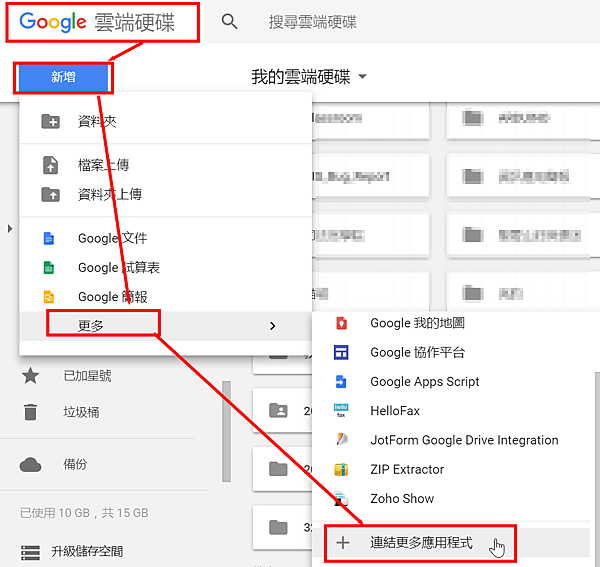
【Google尋寶】02.自製上傳檔案到Google 雲端的程式
- Dec 12 Tue 2017 01:09
-
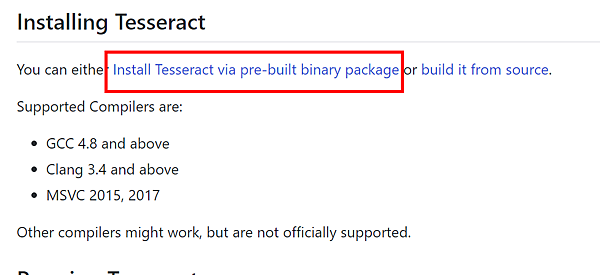
【Google尋寶】01.Tesseract OCR
- Jul 10 Wed 2013 20:40
-
Google Blockly, MIT Scratch, and Google to MIT App Inventor
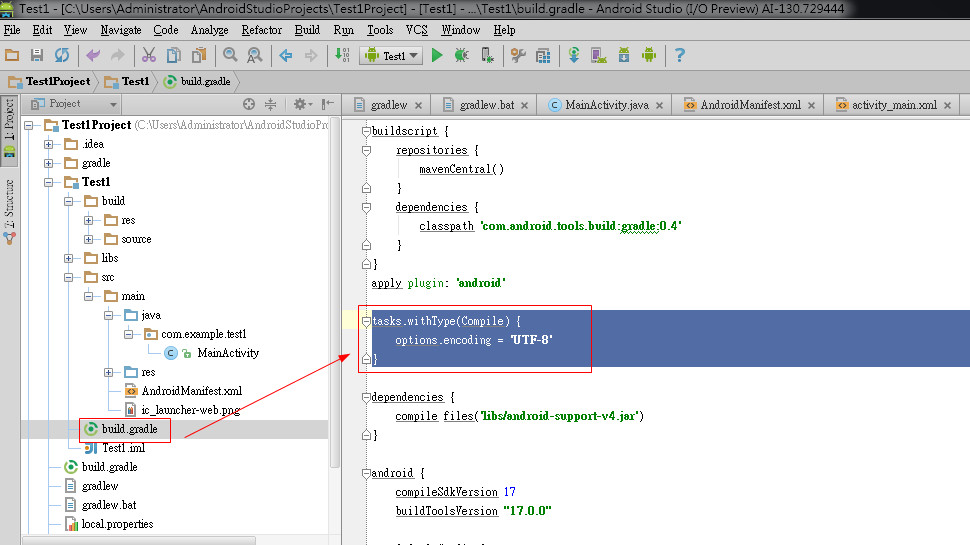
http://www.theopensourcery.com/keepopen/2012/google-blockly-mit-scratch-and-google-to-mit-app-inventor/
https://sites.google.com/site/warkeyli/blockly
- Nov 21 Wed 2012 10:10
-
OleDB for Oracle
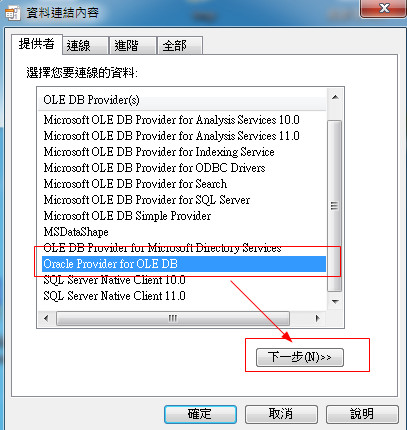
又到了搞 Oracle 的時刻了...
想要透過 OLE DB 連 Oracle ..
查了一下. 必須安裝 ODAC , 因此到官網下載
http://www.oracle.com/technetwork/developer-tools/visual-studio/downloads/index.html
- Apr 09 Wed 2008 08:03
-
phpMyAdmin import 的大小限制
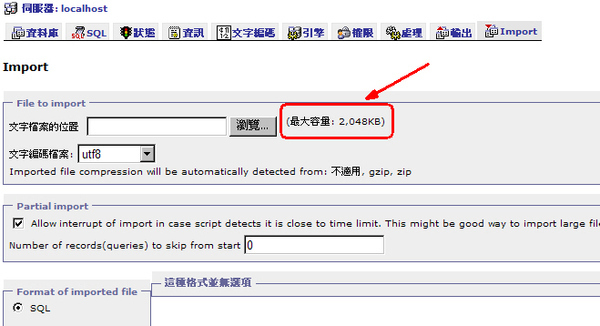
- Mar 17 Mon 2008 17:09
-
C++ 參考資料 (不定時持續增加)
C/C++ Reference
人工整理過的參考資料,蠻實用的。
http://www.cppreference.com/A modest STL tutorial
有圖解的 STL 簡易教學。
http://www.cs.brown.edu/people/jak/proglang/cpp/stltut/tut.html
人工整理過的參考資料,蠻實用的。
http://www.cppreference.com/A modest STL tutorial
有圖解的 STL 簡易教學。
http://www.cs.brown.edu/people/jak/proglang/cpp/stltut/tut.html
- Mar 11 Tue 2008 21:59
-
使用VC++ 2005 Build X64程式
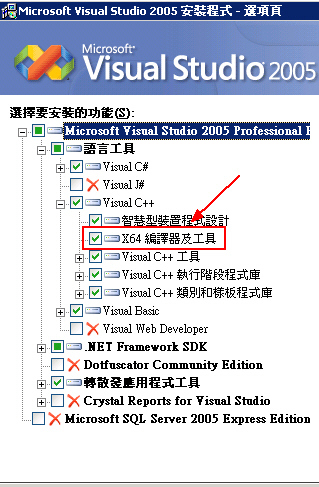
Step1:先檢查一下您的 Visual Studio 2oo5 是否有安裝 X64 的編譯器及工具..
沒有的話....
當然就是要補裝Step2.開啟您的 Source, 選取工具列上 方案組態 > 組態管理員 的設定
(如果您的工具列沒有 方案組態,請在工具列空白處按右鍵, 把 建置 > 方案組態 拖拉至工具列)
- Mar 11 Tue 2008 21:27
-
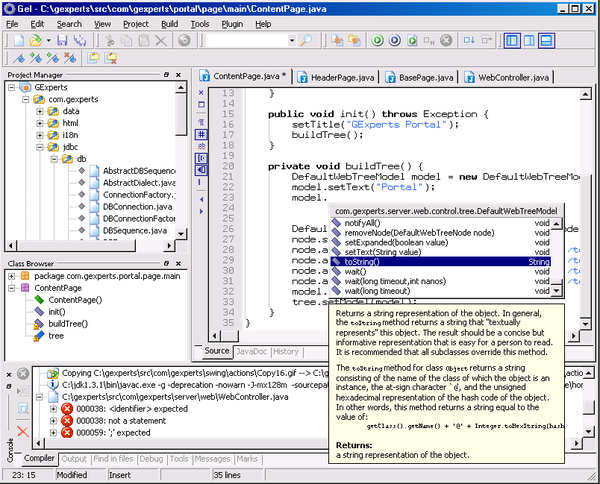
Free Java and JSP IDE - GEL
1
